
01ARTICLE
Published on
AI product photography or CGI product renders? The short answer: when you need lots of scenes, seasons and variations, AI product photography leads; when the product has to look exactly right from every angle, when difficult materials must be handled flawlessly or when the product needs to move, CGI renders lead. The two methods reach the same goal by different routes. AI builds the scene quickly, while CGI builds the product with precision. On many projects they work together: the product is built accurately in CGI or from real photos, and the scenes are multiplied with AI.
This piece compares the two on product accuracy, scale, speed of variation and e-commerce requirements. It also walks through how placing a real product into an existing scene works, often searched for as "adding a product with AI". If you want to see which route fits your own catalogue, you can request a sample set built around one of your products on our AI product visualisation service page.
What are AI product photography and CGI product renders?
AI product photography is an image in which a real product appears, at photographic realism, inside a scene built with generative AI. Depending on the project, the product comes from the brand's existing photos, a short product shoot by our team, a 3D model or directly from AI, while the scene, light and atmosphere are generated with AI.
A CGI product render is an image in which the product is modelled in 3D, its materials and lighting are built on the computer, and the frame is rendered. Once built, it can be used from any angle, in any light and, if needed, in motion, which is why CGI stills share their foundation with 3D product animation.
Put simply, AI produces the scene and CGI produces the product. The real difference is where control sits.
When should you choose each one?
The priority in your brief decides: accuracy and control, or speed and variety? The table below compares the two methods on the questions that come up most often for e-commerce and campaign imagery.
| Criterion | AI product photography | CGI product render |
|---|---|---|
| Product accuracy (label, logo, shape) | Preserved when the product comes from a real photo or a model; every image still needs a final check | Once the model is approved, it stays identical in every image |
| Difficult materials (glass, metal, liquid, jewellery) | Reflections and refraction can come out inconsistent; needs selection and correction | Built with precision through lighting and material work |
| Speed of scenes and variations | Its strength: many scenes and seasons can be tried quickly for the same product | Every new scene needs modelling, lighting and rendering |
| Angle and framing control | Limited; the right angle is usually found through selection rounds | Full; the camera goes exactly where you want it |
| Motion and animation | Short moving content is possible; keeping the product consistent takes extra work | The same model carries straight into animation |
| Packaging or colour change | Scenes are regenerated with the new product image | A material update refreshes every image |
| What you need to provide | Good product photos or a short product shoot | Dimensions or detailed reference photos |
In practice, think of it this way: the shop-window images in your catalogue, the frames where the product itself is being sold, need accuracy; campaign, seasonal and social images need atmosphere and variety. The first sits closer to CGI or a real product shoot, the second closer to AI. We cover the same question at ad film scale in our AI or CGI piece.
How does adding a product with AI work?
Adding a product with AI means placing a real product into an existing scene or an AI-generated image so that its light, shadow and perspective hold up. The aim is not to have AI imagine the product from scratch, but to seat the approved product correctly inside the world AI has built. The general flow looks like this:
- Settle the product source: clean product photos, a short product shoot or a 3D model. The better the source, the more accurate the placed product looks.
- Generate or choose the scene: the scene is generated with AI or taken from an image the brand already owns. The surface the product sits on, its scale and the camera height are decided here.
- Match light and perspective: the direction, temperature and hardness of the light must match the scene, otherwise the product looks pasted on.
- Shadow, reflection and contact point: the shadow where the product meets the surface is the most overlooked part of believability.
- Final product check: label, logo, text and shape are compared one by one against the approved product. AI is not allowed to alter the text on the pack.
With difficult materials such as glass, metal or liquid, adding the product to an AI scene as a 3D model rather than a photo is often the safer choice, because reflections can be recalculated for the scene's light. That is also why AI and CGI so often end up on the same job.
What matters for e-commerce imagery?
In e-commerce, an image is a promise; if the product that arrives differs from the picture, trust goes with it. Whichever method you pick, this checklist helps:
- In the main product image, the product should carry no detail that differs from its approved version: colour, label, cap and proportions stay the same.
- List the image rules of the marketplaces and your own site (background, framing, resolution) before production. Rules vary by platform, so check the current guidelines before you publish.
- Define your lighting style, colour palette and framing rules once and run every new image through them. Otherwise AI's default aesthetic makes the brand look generic.
- If your catalogue is going to grow, a 3D model of the product makes life easier with either method in the long run.
We cover where AI visuals shine in e-commerce, and where they stop, in our guide to AI product visuals for e-commerce. If you are budgeting per image, we have also set out the factors that shape CGI product image cost in a separate piece.
Examples from Clytech
Clytech is a CGI, FOOH and AI advertising studio based in Istanbul and London. For product imagery we use AI and CGI separately or together, depending on the brief. The projects below show the difference between the two routes well.
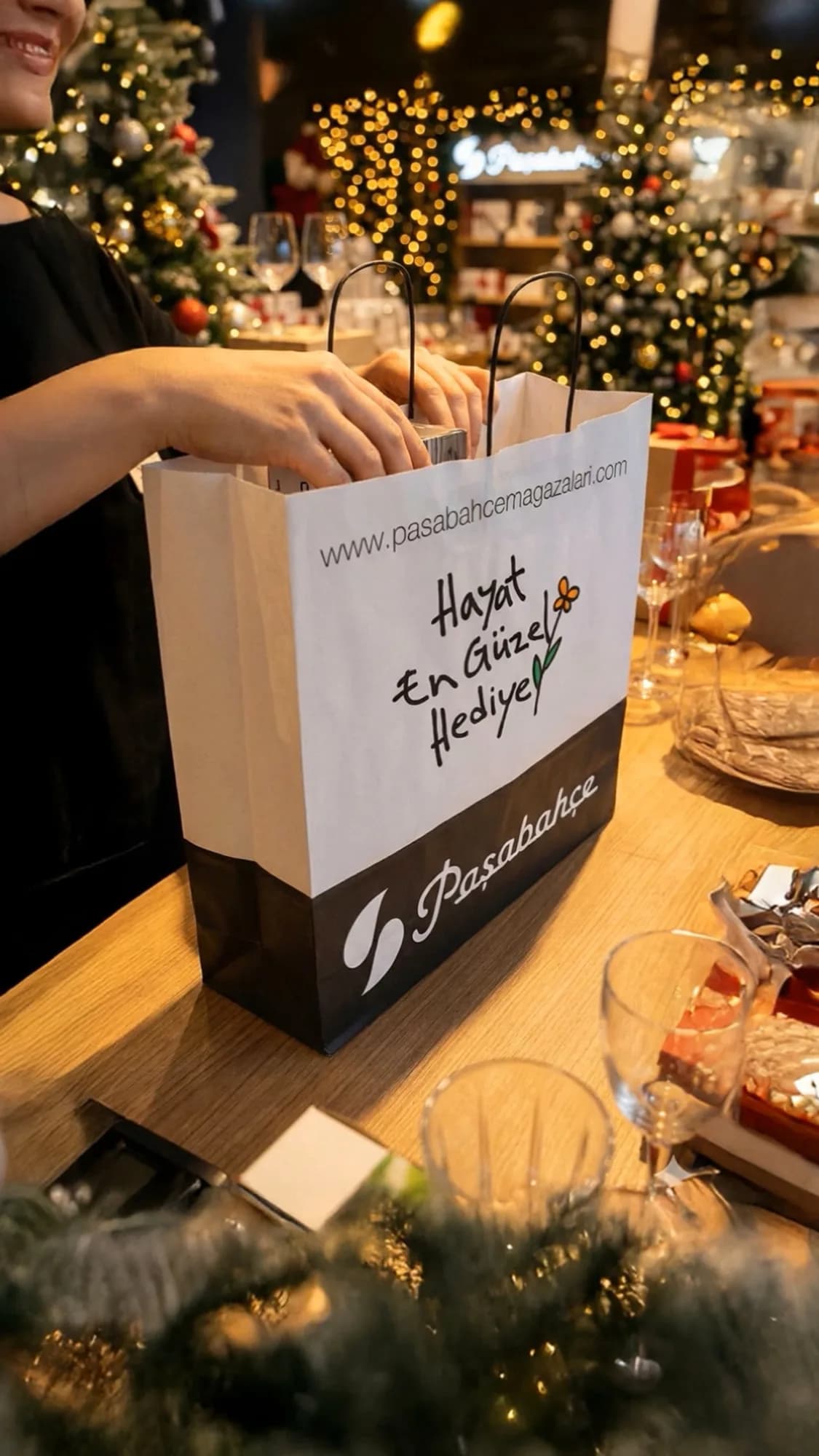
Paşabahçe, New Year campaign (AI). In the AI-driven campaign video we produced for Paşabahçe's New Year season, the brand's glassware and tableware take the stage in scenes that capture the festive atmosphere. The visual world was built with AI tools, balancing seasonal warmth with the brand's refined aesthetic. Carrying a product through many scenes for a seasonal theme is exactly the kind of job where AI is strongest.
PROJECT VIDEO
Roman, Winter 2026 (hybrid AI). Roman's Winter 2026 film blends fashion-film aesthetics with AI-driven production, bringing cold textures and futuristic layers together through atmospheric AI visuals. Taking the brand's look from fashion-film craft and the atmosphere from AI is a typical hybrid approach.
Şok Marketler, Karmen chocolate (CGI). For this project, Karmen chocolate was brought to life entirely in 3D: its texture, flow and appetising details were rebuilt in CGI. Careful lighting and material work gave the chocolate a level of realism that would be hard to capture in front of a camera. When the product moves and texture does the selling, the advantage of CGI is plain to see.
PROJECT VIDEO
Reis Kuyumculuk, jewellery (CGI). In the 3D animation we made for Reis Kuyumculuk, reflections and brilliance across gold and stone surfaces were handled with meticulous CGI material work. The result is a controlled presentation that shows the pieces from their most flattering angles. For products that sell through light, like jewellery, control over angle and reflection puts CGI ahead.
Frequently asked questions
Will AI product photography replace studio shoots?
Not everywhere. It is strong for campaign imagery that needs scale and variety; for main product images where exact accuracy is critical, a real shoot or CGI remains the more reliable foundation.
Will our product look right in AI imagery?
Depending on the project, the product comes from your photos, our own shoot, a 3D model or AI. In every case, the final check is that the label, logo and shape are true to the real product.
What if we don't have a 3D model for CGI renders?
Once built, it is reused for later images and for 3D animation; our 3D product animation brief guide can help when you prepare the brief.
Can AI and CGI be used together in the same image?
Yes, and on most projects that is where the best results come from: the product is built accurately in CGI or from a real photo, and the scene and variations are produced with AI.
Let's pick the right route together
The right method depends on your product, your channels and how many images you need. Tell us briefly about your product, the channels you will use (e-commerce, social, campaign) and the images or 3D assets you already have through our contact page; we will come back within 24 hours with a reasoned recommendation for AI, CGI or hybrid.