
01ARTICLE
Published on
A product video is a short film built around one product and cut for the place it will be watched. On a retail screen it introduces the product and the offer; on an e-commerce page it shows detail a photo can't; in a social feed it ties the product to a moment of use. Good product video production starts from one question: what does this product do, and why should someone pick it up now?
This guide covers how a product video changes by channel, why one product often gets several scenarios, and how to keep the product accurate from the first frame to the last. For brands that want to stage a product entirely in 3D, our 3D product animation service is a separate route, and we look at how the two compare below.
What is a product video, and what is it for?
A product video tells the story of a single product rather than the whole brand, and it sits close to the moment of purchase. A brand film conveys values and feeling; a product video shows the product itself, its packaging, how it is used and what it promises. We unpack that distinction in brand film vs promotional film vs commercial.
Product videos usually do one of three jobs:
- In store: catch attention on in-store screens, right next to the product, while people shop.
- In e-commerce: show the texture, volume or use that a still photo can't explain.
- On social: stop the scroll and introduce the product through a moment people recognise.
Each of those jobs calls for a different edit, even for the same product. So the first step in planning a product video is deciding where it will be watched.
Which product video for which channel?
The channel decides the length, the framing and the opening of a product video; one film pushed everywhere usually performs worst. The table below sums up what the film has to do in the four most common channels.
| Channel | Viewer's situation | The film's job | Framing |
|---|---|---|---|
| In-store and shelf screens | Shopping, often with no sound | Introduce the product and the offer at first glance | Vertical or horizontal, depending on the screen |
| E-commerce product page | Already studying the product | Show texture, volume and how it is used | Square or horizontal |
| Social feed | Scrolling fast | Grab attention instantly and link the product to a moment | Vertical (9:16) |
| Campaign and launch | Meeting the brand for the first time | Leave one clear promise behind | Vertical and horizontal together |
Where films play without sound, on-screen text carries the product name, the promise and the offer. On social, the first frame does the heavy lifting; we explain why vertical framing has to be planned from the start in our guide to vertical video CGI.
Why does one product often get several scenarios?
Several scenarios for one product are the most efficient way to show it to different people through different moments of use. A cleaning product solves one problem in the kitchen and another in the bathroom, and each problem can become its own short film. The main film fixes the product and its promise; the scenarios carry that promise into everyday moments. We look at use scenarios for this category in more depth in our guide to cleaning product video production. For vacuums, fans or kids' cameras, where each product needs its own moment of use, see our guide to small appliance video production.
The scenario types we use most often:
- Premium product film: the main film, showing the product, pack and promise at their cleanest.
- Use scenario: a short film about how the product works in a specific place or moment.
- Problem and solution: it opens on a problem the viewer knows and closes on the product.
- Campaign version: the same footage updated with a seasonal or promotional message.
- Series episode: one part of a run of videos published in the same format.
When scenarios share one visual language, both production and approval move faster: the product's look is signed off once, and every new scenario is built on that approved look. We cover planning content episode by episode in episodic social media content.
How do you keep the product accurate and on brand?
Accuracy in a product video means the product on screen matches the one the viewer will find on the shelf. Pack colours, logo placement, label copy and proportions should not drift; otherwise the film confuses people instead of selling to them.
- Current packaging: the final pack and label details are collected before production starts.
- Approved claims: every claim on screen stays within the brand's approved product messaging.
- One sign-off point: the product's look is approved once, and the scenarios grow from that base.
- Retailer guidelines: if the film runs across a store network, the retailer's look and copy rules are agreed up front.
That last point matters most for films made for retail media networks, which run at their own pace; we look at them in video content for retail media networks.
Product video or 3D product animation?
A product video is a goal; 3D product animation is one of the ways to reach it. If the product needs to appear in a real place, in a real moment of use, a filmed product video is the natural choice. If the story is about what's inside the product, its texture or a detail a camera struggles to reach, 3D product animation may fit better. Many campaigns use both: the use scenario goes to social, and the detailed 3D film goes to the product page.
We explain which products suit the 3D route in what is 3D product animation. One question usually settles it: will people remember this product through a moment, or through a detail?
Examples from Clytech
Clytech is a CGI, FOOH and AI advertising studio based in Istanbul and London. On product films we work both through retail partnerships and directly with brands, and every piece below has its own project page.
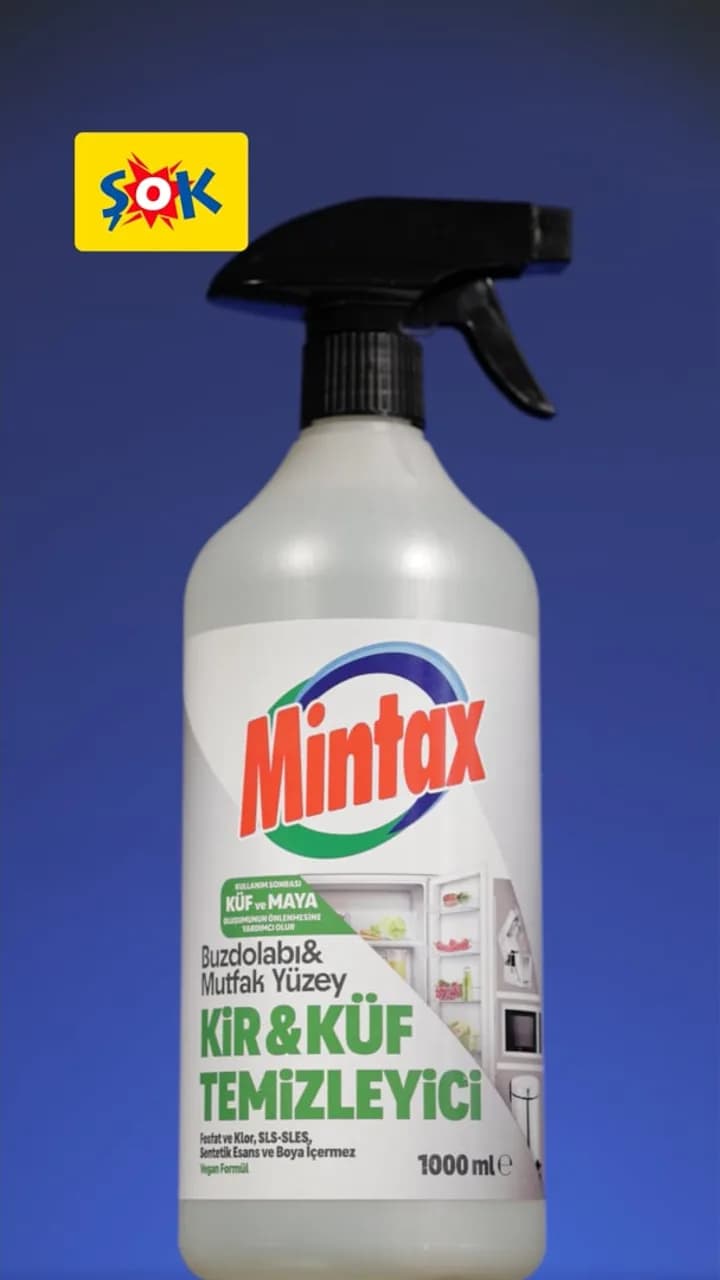
Mintax Mould & Grime Cleaner, premium film. Developed for Mintax in collaboration with ŞOK Market, the Mintax premium product film introduces the product as the main film, in vertical 9:16. On this work, our client is ŞOK.
PROJECT VIDEO
Mintax, fridge scenario. The fridge scenario for the same product is one episode of a horizontal (16:9) social series. It moves the product into a specific place of use and, together with the under-sink scenario, shows how one product can stretch across different moments.
Colgate product film. Produced for ŞOK as part of ŞOK Media Network, the Colgate product film is a short vertical film made for the network's channels. On this network too, the client is ŞOK.
Scentlinq 3D product animation. Our 3D product animation for Scentlinq brings out the product's form with cinematic detail. The result is a horizontal product film the brand can use across its digital channels.
PROJECT VIDEO
Frequently asked questions
How long should a product video be?
The channel decides. Social feeds and in-store screens suit short films with a single message; e-commerce and launches suit slightly longer versions that give the product's detail room. We recommend an exact length after the brief, based on your list of channels.
Can one film be cut into different formats?
Yes, but the result is better when vertical and horizontal versions are planned together from the start. Cropping a horizontal film into vertical later can push the product out of frame.
Do you need the physical product?
It depends on the job. Filmed product videos need the product itself; for 3D product animation, a 3D model or reference photos of the product can be enough. We agree the right route together at the brief stage.
Can the film be reused after the campaign ends?
If the product and pack haven't changed, the main film can often be refreshed with a new campaign message. That is why we suggest keeping offer details in a separate text layer rather than inside the footage.
Let's plan your product video
A strong product video knows its channel from the start, shows the product accurately and leaves one promise behind. Tell us about your product and where the film will run through our contact page, and we'll get back to you within 24 hours. If you'd like to see our work first, take a look at our company deck.